Understanding the Virtual Desktop Concept
What Is a Virtual Desktop?
A virtual desktop is a computing environment that allows users to access their desktop interface and applications over a network or the internet, effectively decoupling the user experience from the physical hardware. This technology enables remote or on-site access, facilitating a flexible work environment. By implementing virtual desktop solutions, businesses and individual users can achieve enhanced accessibility and convenience.
Key Benefits of Using a Virtual Desktop
The adoption of virtual desktops brings numerous advantages, making it an attractive option for organizations looking to leverage technology for improved operational efficiency. Here are some of the most important benefits:
- Improved Accessibility: Users can access their desktops from anywhere, provided they have internet connectivity. This is particularly valuable for remote work scenarios.
- Centrally Managed Security: Virtual desktops allow for centralized security protocols, protecting sensitive data and reducing the risk of security breaches.
- Cost Efficiency: By utilizing cloud services, businesses can reduce hardware expenditure and maintenance costs over time.
- Consistent User Experience: As applications and settings are stored centrally, users can experience a seamless transition between devices.
- Scalability: Organizations can easily scale their virtual desktop environments to meet changing workforce needs without significant investments in physical infrastructure.
Common Virtual Desktop Use Cases
Virtual desktops can be utilized in various scenarios, each taking advantage of their unique capabilities. Here are some notable use cases:
- Remote Work: As hybrid work models gain popularity, a virtual desktop enables employees to operate securely from remote locations.
- Education: Educational institutions can provide students access to software and resources without requiring expensive hardware.
- Training and Development: Businesses can create virtual environments for training new employees, allowing them to engage with company software without risk.
- Technical Support: IT departments can manage desktop resources remotely, troubleshooting issues and deploying updates quickly.
- Temporary Workforces: Organizations can onboard temporary employees quickly with minimal setup, as everything is accessed via the virtual desktop.
Setting Up Your Virtual Desktop
Essential Hardware and Software Requirements
Before getting started with a virtual desktop setup, it’s crucial to understand the necessary hardware and software components. While specific requirements can vary based on the chosen platform, the following are generally essential:
- Reliable Internet Connection: A stable and high-speed internet connection is fundamental for a seamless virtual desktop experience.
- Server Hardware: This includes CPUs, RAM, and storage capacity to host virtual desktop images effectively. The specifications will depend on the number of users and the applications they intend to run.
- Virtualization Software: This software, such as a hypervisor or cloud platforms, facilitates the creation and management of virtual desktops.
- Client Devices: Users will need devices capable of running client software, such as desktops, laptops, tablets, or thin clients.
- Security Software: This includes firewalls and antivirus programs to ensure that virtual environments remain secure and protected from threats.
Step-by-Step Setup Guide
Setting up a virtual desktop can be straightforward if you follow the right steps. Here’s a beginner-friendly guide for creating a virtual desktop environment:
- Evaluate Your Needs: Determine the requirements of your organization and the number of users who will access the virtual desktop.
- Select Your Virtualization Platform: Choose a virtualization platform based on your needs, scalability options, and budget.
- Set Up Your Server: Install the necessary software on your servers and configure your network settings to ensure proper connectivity.
- Create User Profiles: Set up individual user accounts tailored to specific roles and access rights within the virtual desktop environment.
- Deploy Applications: Install necessary software and applications on the virtual desktops according to the user profile requirements.
- Set Polices and Security Measures: Ensure that strong security policies are in place to protect company data and monitor user activity.
- Conduct Testing: Before going live, test the environment by logging in with different user accounts to troubleshoot and optimize performance.
- Launch: Once testing is successful, deploy the virtual desktop environment for full use.
Troubleshooting Common Issues
As with any technology, virtual desktops may encounter issues. Here are some common problems and their solutions:
- Slow Performance: This could be due to insufficient bandwidth or overloaded server resources. Monitor system performance and upgrade server specifications as needed.
- Connectivity Issues: Users may experience difficulties connecting to their virtual desktops. Check internet connectivity and firewall settings to ensure they aren’t blocking access.
- Login Problems: Issues with user credentials can arise. Ensure that username and password settings are correctly configured and assist users in resetting passwords when necessary.
- Application Crashes: Application incompatibility can cause crashes. Ensure software versions are compatible with the server and virtual desktop environment.
- Security Alerts: Frequent security alerts could indicate vulnerabilities. Regularly update security software and policies to reinforce defenses.
Optimizing Performance in a Virtual Desktop Environment
Best Practices for Resource Management
Effectively managing resources in a virtual desktop environment is crucial for maintaining optimal performance. Here are several best practices to consider:
- Right-Size Your Infrastructure: Avoid overprovisioning or underprovisioning resources. Conduct regular assessments to match your infrastructure with the workforce’s needs.
- Implement Load Balancing: Distribute workloads across multiple servers to prevent any single server from being overwhelmed.
- Optimize Network Traffic: Utilize network optimization tools to analyze and optimize traffic flows, especially for high-usage applications.
- Utilize Virtual Desktop Templates: Create standardized images for implementations to streamline deployment and ensure consistency across all users.
Enhancing Security in Your Virtual Desktop
Security is of utmost importance in a virtual desktop environment. To enhance security protocols, consider the following strategies:
- Use Multi-Factor Authentication: Engage multi-factor authentication (MFA) to ensure that access is granted only to those with proper credentials.
- Regular Updates and Patching: Keep all software, systems, and applications up to date to protect against vulnerabilities.
- Implement Encryption: Use encryption for data both at rest and in transit to protect sensitive information effectively.
- Educate Users: Regular training sessions for users on recognizing security threats, such as phishing attempts, can bolster defenses.
Utilizing Performance Monitoring Tools
Performance monitoring is vital for ensuring the efficiency of a virtual desktop environment. Here are some tools and metrics to utilize:
- Resource Monitoring Tools: Use tools that monitor CPU, memory, and storage usage to optimize resource allocation.
- User Experience Monitoring: Track user interactions with virtual desktops to identify bottlenecks and improve the user experience.
- Network Performance Monitoring: Assess bandwidth usage and latency to ensure a smooth experience for users.
- Security Monitoring: Deploy security monitoring solutions to analyze logs and detect unauthorized access attempts.
Exploring Advanced Features of Virtual Desktop
Integrating Cloud Services with Virtual Desktop
The integration of cloud services into virtual desktop environments enhances functionality and scalability. Here’s how:
- Cloud Storage Solutions: Enable users to store and share files seamlessly using cloud storage platforms alongside their virtual desktops.
- Application Streaming: Stream applications directly from the cloud, reducing the need for local installation and minimizing hardware constraints.
- Disaster Recovery Solutions: Implement cloud-based backup systems to ensure data integrity and recoverability in case of service outages or data loss.
Utilizing Multiple Monitors
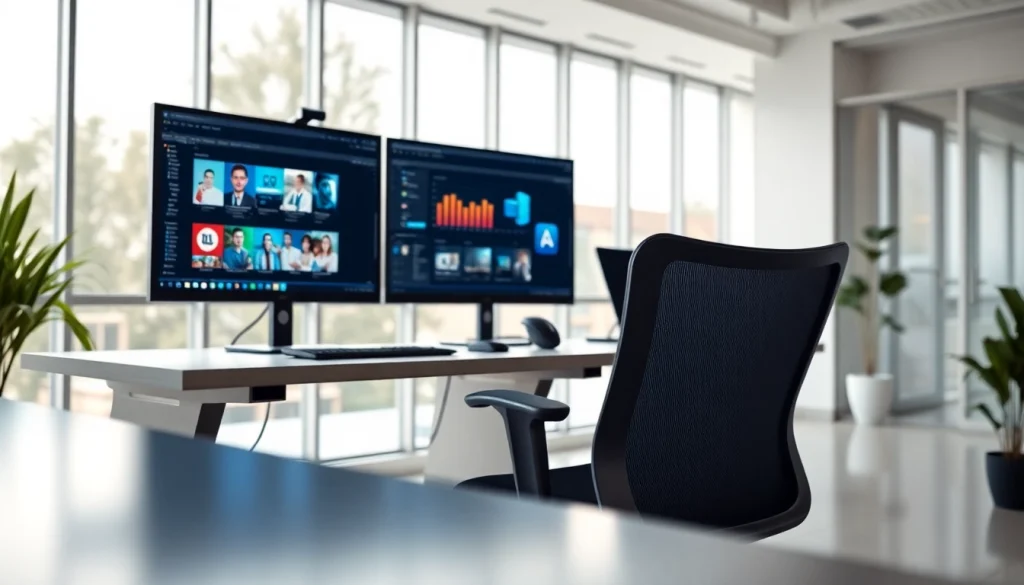
Using multiple monitors can significantly enhance productivity in a virtual desktop environment. Consider the following:
- Extended Workspace: With a multi-monitor setup, users can extend their workspace for better multitasking and improved efficiency.
- Improved Collaboration: Multiple screens facilitate easier collaboration by enabling users to view shared documents or applications simultaneously.
- Customized Configurations: Users can tailor their virtual desktop settings to utilize multiple monitors according to their specific workflow needs.
Virtual Desktop for Remote Teams
Virtual desktop technology plays a crucial role in supporting remote teams. It provides a secure and efficient way to collaborate, share resources, and maintain workflows. Key points include:
- Synchronized Workflows: Users can work harmoniously despite geographical barriers, accessing the same tools and applications.
- Flexibility and Adaptability: Remote workers can switch between devices without losing access to their desktop environment, enhancing productivity.
- Team Collaboration Tools: Integrate collaboration tools directly into the virtual desktop environment, promoting engagement and teamwork across dispersed teams.
Future Trends in Virtual Desktop Technology
Emerging Technologies Impacting Virtual Desktops
The trajectory of virtual desktop technology is influenced by various emerging trends and technologies. Anticipated developments include:
- Artificial Intelligence: AI-driven automation can enhance resource management, user experience, and security protocols within virtual desktop environments.
- Advanced Analytics: Utilizing analytics can uncover insights into user behavior, allowing organizations to optimize virtual desktop setups further.
- 5G Connectivity: Enhanced internet speeds offered by 5G networks can facilitate smoother virtual desktop experiences, particularly for remote users.
Predicting the Future of Remote Work with Virtual Desktops
The future implications of virtual desktop technology are essential in navigating the remote work landscape. Key predictions to consider include:
- Permanent Remote Work Models: Organizations may increasingly adopt hybrid or fully remote work arrangements, relying on virtual desktops for effective operations.
- Evolving Workspaces: The line between home and office workspaces may continue to blur with increased adoption of flexible working arrangements.
- Greater Emphasis on Security: As remote work grows, the focus on robust security measures within virtual desktop environments will be paramount for protecting data and ensuring compliance.
Conclusion: The Ever-Expanding Role of Virtual Desktop
The role of virtual desktops in today’s tech landscape is becoming increasingly vital, particularly as businesses and individuals navigate the complexities of remote work. By understanding how to effectively set up, manage, and optimize virtual desktops, organizations can enhance productivity, improve security, and provide users with flexible, accessible computing environments. As technology continues to evolve, the potential for virtual desktops to transform how we work becomes more pronounced, making it essential for stakeholders to stay attuned to trends and emerging innovations.